

NPC Recruitment: How to Pass the LGA Section For Birth Registration Adhoc E-Recruitment
NPC Recruitment: How to Pass the LGA Section For Birth Registration Adhoc E-Recruitment

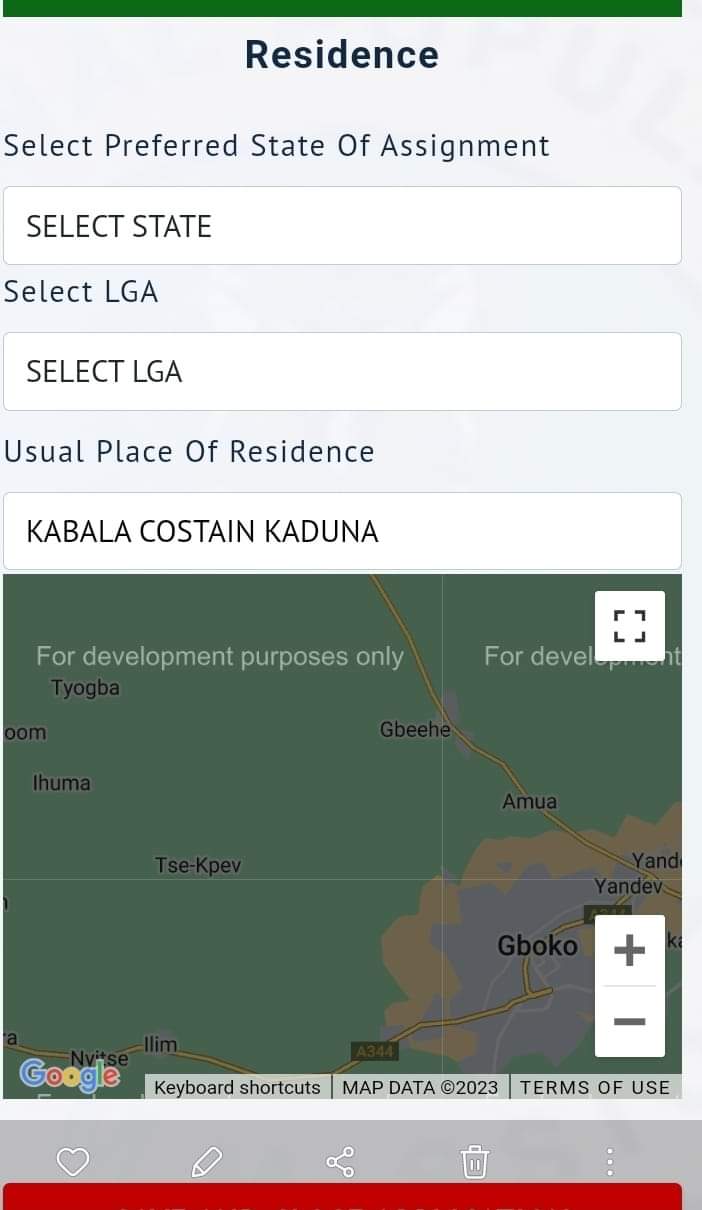
Problems regarding the selection of LGA have caused delays in the ongoing NPC recruitment for birth registration. As a result, we decided to write an article to help you solve this issue. Below are the key guidelines to follow for a successful application:
Residence Information
- Select the preferred state of assignment.
- Select LGA
- Select Center.
- Usual Place Of Residence
Make sure the following settings are set as below:
Click here to visit the portal: https://birthregistrationadhoce-recruitment.com/
Location: ON
Phone: Desktop site
THIS PAGE CAN'T LOAD GOOGLE MAPS CORRECTLY : OK
Click: Select the preferred state of assignment > Select LGA > Select Center > Usual Place Of Residence
Eligible browsers: Chrome, Edge and Phoenix.
Please share this article to your friends. Thanks
Apply Portal: https://birthregistrationadhoce-recruitment.com/
Media contacts for complain and other problems regarding the NPC birth Registration
1. NYSC Press Office
Email: nyscpressoffice@example.com
2. NPC Media Relations
Email: npcmediarelations@example.com
Geoffrey Njoku
3. UNICEF Nigeria
Tel: +234 803 525 0288
Email: gnjoku@unicef.org
But still the state and lga there are no options to choose
ReplyDeletePls,has this site been closed? It's not loading again
ReplyDelete